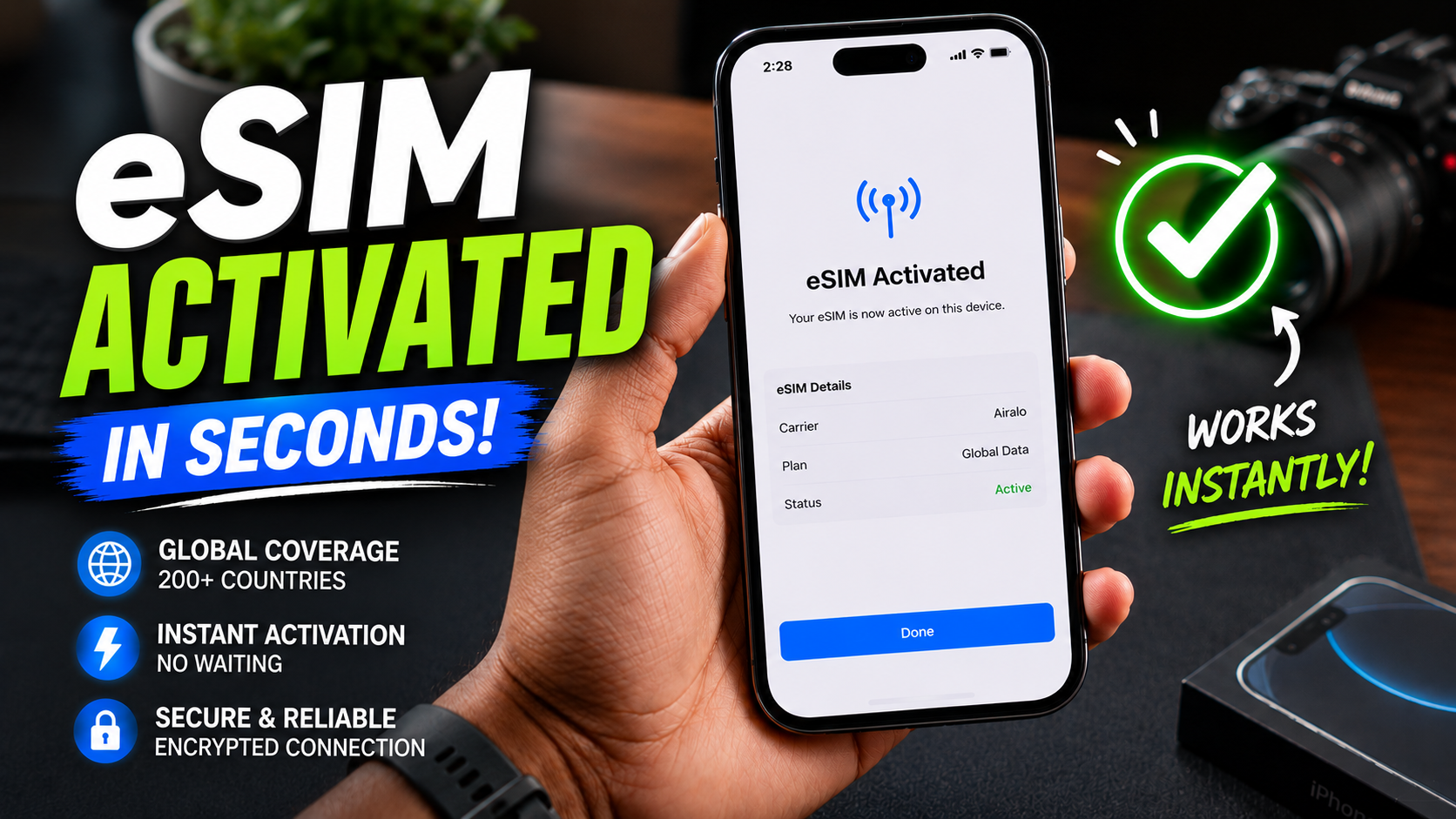
How to Activate eSIM Fast: Ultimate 2026 Guide

Quick Answer
To activate eSIM on iPhone or Android, open mobile network settings, tap “Add eSIM,” and scan the QR code provided by your carrier. Most activations complete within minutes. This guide explains eSIM setup, transfers, troubleshooting fixes, and compatible devices in a beginner-friendly way.
Table of Contents
How to Activate eSIM Fast: Ultimate 2026 Guide
A few years ago, switching SIM cards felt unnecessarily complicated.
You needed a SIM ejector pin, a tiny tray, steady hands, and a lot of patience. And somehow, the SIM card always seemed determined to disappear under the sofa the moment you removed it.
Now things are changing rapidly.
Many smartphones no longer need physical SIM cards at all.
Instead, they use eSIM — a digital SIM technology that allows users to activate mobile service directly through software. No tiny tray. No plastic card. No physical installation.
At first, it sounds like a feature only tech enthusiasts would care about.
In reality, eSIM is becoming mainstream much faster than most people expected.
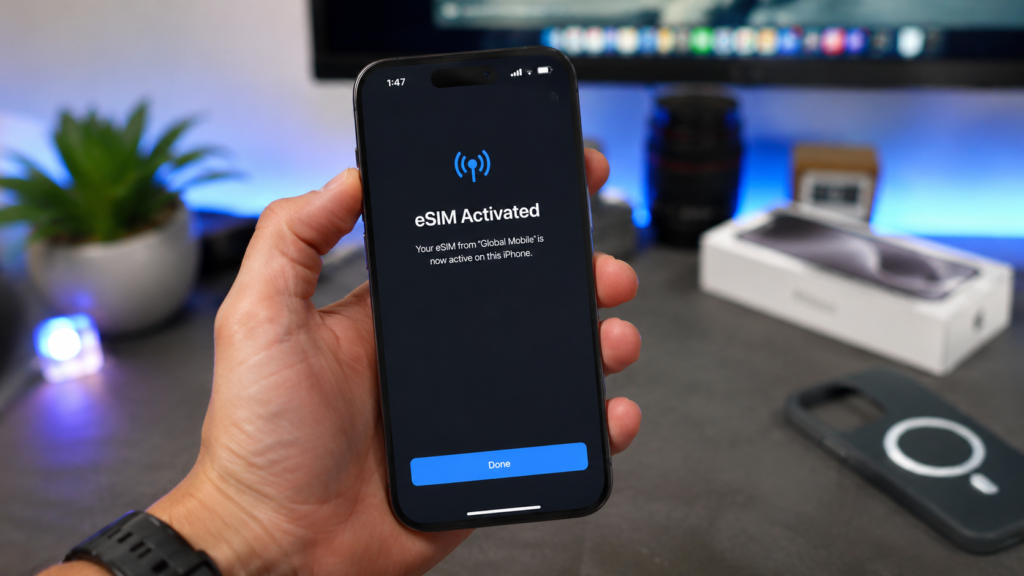
Newer iPhones, Samsung Galaxy phones, Google Pixel devices, and even several premium Android models now support eSIM by default. Meanwhile, telecom providers across India, the USA, and Europe are heavily promoting digital SIM activation because it simplifies onboarding and reduces physical logistics.
Recommended Phones for Easy eSIM Activation
However, here’s the issue most users face. Nobody explains the process properly.
Some users get stuck during activation. Others accidentally remove their active line too early. Meanwhile, many Android users don’t even know whether their device supports eSIM in the first place.
That’s exactly why this guide exists.
This is not another rushed technical tutorial filled with robotic instructions.
Instead, this is a complete human-friendly eSIM activation guide designed specifically for beginners in 2026.
By the end of this article, you’ll learn:
- how to activate eSIM on iPhone
- how to activate eSIM on Android
- how to transfer eSIM to another phone
- how to convert physical SIM into eSIM
- common eSIM problems and fixes
- which phones support eSIM in 2026
- whether eSIM is actually worth using
And most importantly, you’ll avoid the frustrating mistakes that trap first-time users during setup.
What Is eSIM?
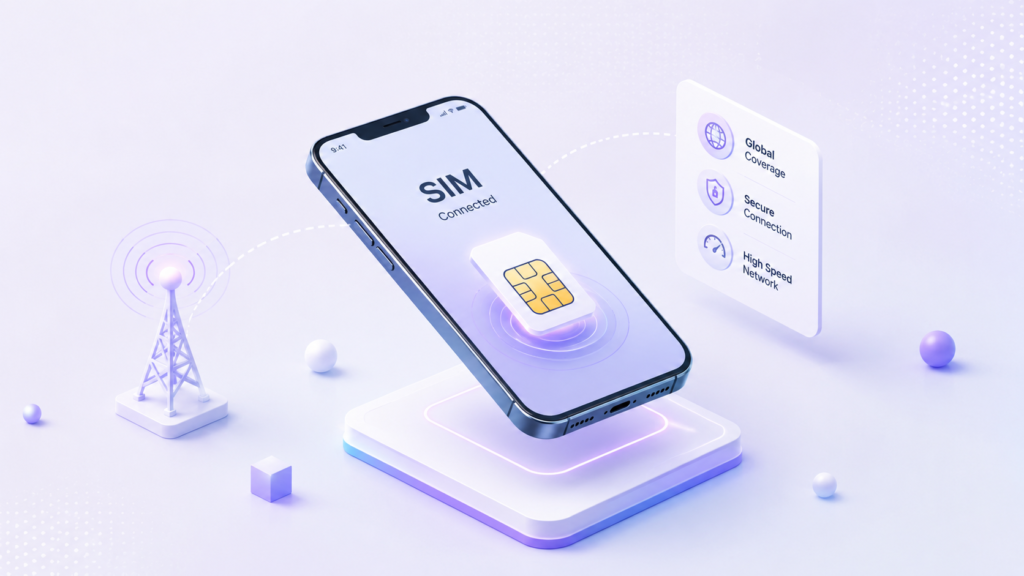
An eSIM is a digital version of the traditional SIM card already built directly into your smartphone.
The term itself stands for embedded SIM.
Unlike older physical SIM cards, you don’t need to insert or swap anything manually. Instead, your mobile carrier activates your number digitally through a downloadable network profile.
Think of it this way.
A physical SIM works like removable hardware.
Meanwhile, an eSIM feels more like downloading your mobile network instantly.
And honestly, that convenience is one of the biggest reasons eSIM adoption is accelerating so quickly worldwide.
Major smartphone brands like Apple, Samsung, and Google are heavily investing in eSIM technology because it helps improve modern phone design. Removing the physical SIM tray frees up internal space, improves engineering flexibility, and creates more room for components like larger batteries or cooling systems.
Meanwhile, telecom providers also benefit because digital activation reduces manufacturing, packaging, and shipping costs associated with traditional SIM cards.
For users, however, the biggest advantage is simplicity.
Once people learn how to activate eSIM and start using it daily, traditional SIM cards begin feeling surprisingly outdated.
Why eSIM Is Growing So Fast
Most people assume eSIM exists only for convenience.
In reality, the technology solves much bigger problems for smartphone manufacturers.
One of the main reasons companies are aggressively shifting toward eSIM is because removing the physical SIM tray improves hardware design significantly.
Without a traditional SIM slot, smartphones can offer:
- more internal space
- improved water resistance
- cleaner internal layouts
- better battery optimization opportunities
This is also why several newer iPhone models in some regions removed physical SIM trays completely.
At first, many users resisted the transition because physical SIM cards felt familiar and easier to understand.
However, the industry trend is becoming impossible to ignore.
In many ways, physical SIM cards are starting to resemble headphone jacks a few years ago — something that once felt essential but slowly disappeared as technology evolved.
And honestly, over the next few years, many mainstream smartphones may transition almost entirely toward digital SIM technology.
Biggest Benefits of Using eSIM
Faster Carrier Switching
One of the most underrated reasons people learn how to activate eSIM is the ability to switch carriers much faster.
Instead of waiting for a physical SIM card to arrive, users can activate service digitally within minutes.
That’s especially useful for:
- travelers
- freelancers
- remote workers
- users switching networks frequently
The entire process feels significantly more modern and flexible compared to traditional SIM management.
Better Travel Experience
Frequent travelers benefit massively from eSIM technology.
Instead of searching for local SIM cards at airports or retail stores, users can activate temporary data plans digitally before even landing in another country.
This creates several advantages:
- lower roaming costs
- faster mobile setup
- less travel stress
- easier network switching
For people who travel often, this convenience quickly becomes difficult to live without.
Dual SIM Flexibility
Many modern smartphones now support:
- one physical SIM + one eSIM
- or even multiple eSIM profiles
This allows users to manage:
- personal numbers
- work numbers
- travel numbers
all from a single device without constantly swapping SIM cards manually.
For business users especially, this flexibility becomes incredibly useful.
Better Security
Because eSIM is built directly into the phone, it’s harder for thieves to remove instantly compared to physical SIM cards.
Of course, no technology is completely perfect.
However, eSIM still improves physical security because the mobile profile remains digitally integrated into the device rather than being removable in seconds.
How to Activate eSIM on iPhone
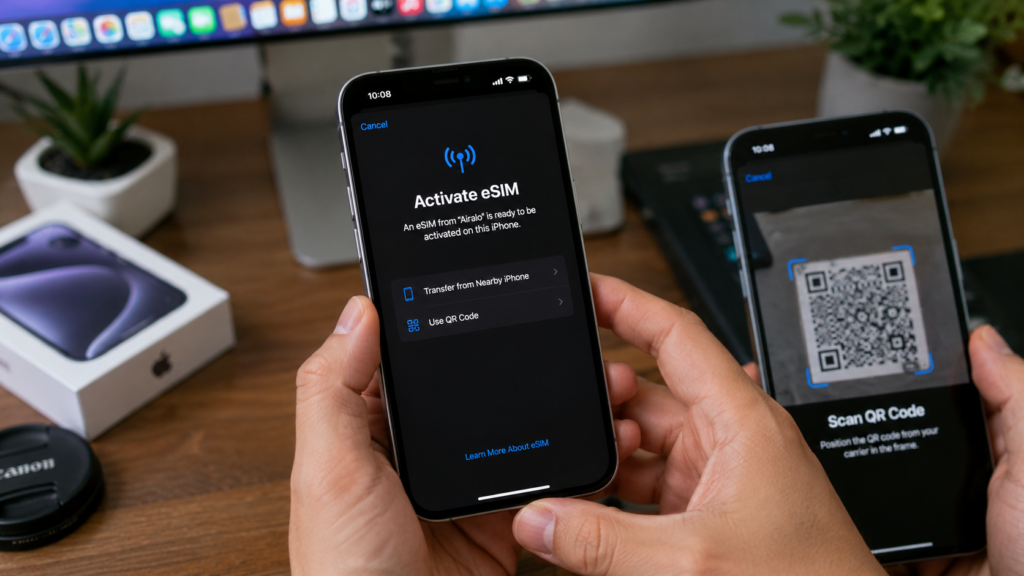
Apple currently offers one of the smoothest eSIM experiences available.
That said, setup problems can still happen if users skip compatibility checks.
Before You Start
Make sure:
- your iPhone supports eSIM
- Wi-Fi is connected
- your carrier supports eSIM
- your device is unlocked
This last point is extremely important.
Many activation failures happen because users unknowingly use carrier-locked phones.
iPhones That Support eSIM
Popular supported models include:
Step-by-Step: How to Activate eSIM on iPhone
Method 1: QR Code Activation
- Open Settings
- Tap Mobile Data
- Select Add eSIM
- Tap Use QR Code
- Scan your carrier QR code
- Follow setup instructions
- Wait for activation to complete
Usually, activation takes only a few minutes.
However, some telecom providers may require additional verification.
Method 2: Carrier App Activation
Several telecom providers now support direct activation through their apps.
Examples include:
This method often feels easier for beginners because the app automates most configuration steps.
Important Takeaway
Keep your old SIM active until the eSIM finishes activation completely.
Many first-time users disable their existing SIM too early and temporarily lose access to OTP verification or carrier authentication.
That’s where frustration usually begins.
How to Activate eSIM on Android
Android eSIM setup varies slightly depending on the manufacturer.
However, the overall process remains very similar.
Android Phones Supporting eSIM
Popular eSIM Android phones include:
- Samsung Galaxy S25 Ultra
- Google Pixel 9 Pro
- OnePlus 13
- Motorola Razr Plus
Step-by-Step: How to Activate eSIM on Samsung
- Open Settings
- Tap Connections
- Select SIM Manager
- Tap Add eSIM
- Scan QR code
- Complete setup
Samsung’s interface is generally beginner-friendly.
However, regional carrier restrictions can sometimes create activation issues.
Step-by-Step: How to Activate eSIM on Google Pixel
Google Pixel devices usually provide one of the cleanest Android eSIM experiences.
Steps:
- Open Settings
- Tap Network & Internet
- Select SIMs
- Tap Download a SIM Instead
- Scan QR code
- Follow activation prompts
Google integrates eSIM deeply into Pixel devices, which often makes the process smoother than many competing Android phones.
How to Convert Physical SIM to eSIM
This is becoming increasingly popular in 2026. Many users now want to remove physical SIM cards completely. Fortunately, several telecom providers support direct SIM conversion.
The process usually works like this:
- Request eSIM conversion
- Receive QR code or activation link
- Disable physical SIM
- Install digital profile
- Restart phone
However, each carrier handles the process differently. Some providers complete activation instantly online. Others still require identity verification or in-store confirmation.
Unfortunately, this inconsistency still confuses many users.
How to Transfer eSIM to a New Phone
This is where many people panic unnecessarily.
Unlike physical SIM cards, eSIM cannot simply be removed manually.
Instead, the digital network profile must be transferred.
ALSO READ >>> How to Transfer Google Photos to Another Account (3 Easy Methods)
iPhone-to-iPhone eSIM Transfer
Apple simplified this process dramatically.
During setup:
- Place both iPhones nearby
- Enable Wi-Fi and Bluetooth
- Start Quick Setup
- Follow transfer prompts
- Confirm activation
In many cases, the transfer completes automatically.
Honestly, Apple currently handles eSIM migration better than most Android ecosystems.
Android eSIM Transfer
Android transfer experiences depend heavily on:
- carrier support
- device brand
- region
Some carriers require:
- fresh QR codes
- manual verification
- reactivation requests
This inconsistency is one reason Android users sometimes experience confusion during device upgrades.
Common eSIM Problems and Fixes
Even though eSIM is convenient, setup problems still happen sometimes.
Fortunately, most issues are easier to fix than they initially appear.
Problem 1: eSIM Stuck on “Activating”
Usually caused by:
- weak internet
- incomplete provisioning
- temporary carrier delays
Fix:
- restart device
- reconnect Wi-Fi
- wait 10–15 minutes
Problem 2: QR Code Won’t Scan
Common reasons include:
- blurry QR image
- low screen brightness
- reused activation code
Fix:
- increase brightness
- request a fresh QR code
- clean camera lens
Problem 3: No Signal After Setup
This often means the profile installed incorrectly.
Fix:
- reset network settings
- restart phone
- reinstall eSIM
Problem 4: Device Says “eSIM Unsupported”
This surprises many buyers.
Sometimes:
- regional models disable eSIM
- carriers restrict support
- budget variants remove the feature entirely
Always verify compatibility before purchasing imported phones.
Beginner Mistakes Most Users Make
Removing Existing SIM Too Early
Wait until activation completes fully.
Ignoring Carrier Lock Status
This is one of the biggest global eSIM issues.
Buying Imported Phones Without Compatibility Checks
Some imported devices disable eSIM completely depending on the region.
Using Poor Internet During Setup
Stable Wi-Fi matters much more than people realize.
eSIM vs Physical SIM
| Feature | eSIM | Physical SIM |
|---|---|---|
| Setup Speed | Faster | Slower |
| Carrier Switching | Easier | Requires replacement |
| Travel Convenience | Excellent | Moderate |
| Security | Better | Easier to remove |
| Waterproofing | Improved | Limited |
| Familiarity | Slight learning curve | Familiar |
Things Most People Don’t Know About eSIM
Multiple Profiles Can Be Stored
Several phones can store multiple eSIM profiles simultaneously.
That surprises many first-time users.
Budget Phones Still Lag Behind
Many affordable smartphones still skip eSIM support to reduce manufacturing costs.
Carrier Support Matters More Than Phone Support
Even if the phone supports eSIM, the carrier might not.
This is especially common with smaller telecom providers.
eSIM Makes Future Device Switching Easier
As carrier systems improve, switching phones will likely become dramatically faster than traditional SIM management.
Best Phones With eSIM Support in 2026
As more users search for how to activate eSIM in 2026, smartphone brands are finally improving the overall digital SIM experience. In fact, modern flagship phones now make eSIM setup dramatically easier compared to earlier generations.
However, not every smartphone handles eSIM equally well.
Some devices offer faster activation, smoother transfers, cleaner interfaces, and stronger global carrier compatibility. Others still create frustrating setup problems, activation delays, or inconsistent dual-SIM management.
That’s why choosing the right smartphone matters if you plan to activate eSIM regularly.
Whether you travel often, manage multiple mobile numbers, or simply want a cleaner SIM-free experience, these are currently the best smartphones for smooth eSIM activation in May 2026.
Best Overall iPhone for eSIM Activation
Apple iPhone 17 Pro Max
If your priority is learning how to activate eSIM with the least amount of hassle, the iPhone 17 Pro Max currently delivers the best overall experience.
Apple has spent years refining digital SIM integration, and it clearly shows in the 2026 lineup. Activating eSIM on the iPhone 17 Pro Max feels polished, beginner-friendly, and surprisingly fast.
Meanwhile, transferring eSIM between iPhones has become almost seamless. Apple’s Quick Transfer system handles most setup steps automatically, which reduces the confusion many first-time users experience.
Another major advantage is global carrier compatibility. Whether you’re using Airtel, Jio, T-Mobile, or international travel carriers, the iPhone 17 Pro Max handles eSIM activation extremely reliably.
Why it stands out:
- Extremely smooth eSIM activation
- Reliable iPhone-to-iPhone transfers
- Excellent global carrier support
- Strong dual eSIM management
- Beginner-friendly setup process
Best for:
- iPhone users
- travelers
- business professionals
- users switching fully to eSIM
Potential downside:
The premium price may feel expensive for casual users.
Best Android Phone to Activate eSIM Easily
Google Pixel 10 Pro
For Android users searching for how to activate eSIM without complicated menus or bloated software, the Google Pixel 10 Pro is currently the strongest option.
Google’s clean Android experience makes eSIM setup feel much simpler compared to many heavily customized Android phones.
The activation flow is fast, intuitive, and optimized directly by Google. Meanwhile, Pixel devices continue improving compatibility with carriers worldwide.
Another reason Pixel performs so well is software reliability. Compared to many competing Android devices, Pixel phones experience fewer eSIM bugs, activation failures, or network switching issues.
What surprises many users is how convenient Pixel becomes during international travel. Switching carriers digitally feels fast and efficient without navigating confusing settings.
Why it stands out:
- Clean Android interface
- Fast eSIM setup process
- Excellent software optimization
- Reliable activation experience
- Great travel-friendly functionality
Best for:
- Android users
- travelers
- clean software enthusiasts
- users wanting easy eSIM activation
Potential downside:
Availability still varies in some countries.
Best Business Smartphone for eSIM Usage
Samsung Galaxy S26 Ultra
Samsung continues dominating the productivity smartphone category, and the Galaxy S26 Ultra is one of the best business phones for users managing multiple eSIM profiles.
Unlike simpler consumer-focused devices, Samsung offers advanced dual-SIM flexibility and multitasking features that work extremely well with eSIM technology.
This becomes especially useful for:
- remote workers
- freelancers
- international travelers
- professionals managing work and personal numbers
Samsung’s One UI has improved dramatically over the past few years, and activating eSIM on Samsung devices now feels much smoother than earlier generations.
Meanwhile, the large battery and productivity-focused design make the S26 Ultra ideal for heavy business usage.
Samsung Knox security also adds stronger enterprise-level protection for users handling sensitive communication.
Why it stands out:
- Excellent dual SIM productivity
- Powerful multitasking features
- Large battery life
- Enterprise-grade security
- Reliable carrier compatibility
Best for:
- business professionals
- productivity users
- dual-number users
- frequent travelers
Potential downside:
Samsung’s software still feels slightly heavier compared to Pixel’s cleaner Android experience.
Other Great Phones Supporting eSIM
OnePlus 14 Pro
The OnePlus 14 Pro has improved eSIM support significantly in recent years.
It offers:
- strong performance
- smoother eSIM activation
- fast software experience
Best for:
- Gamers
- Android power users
- Performance-focused buyers
Samsung Galaxy Z Fold 7
Foldable phones are becoming surprisingly useful for advanced eSIM usage.
The Galaxy Z Fold 7 especially stands out for:
- multitasking
- business productivity
- managing multiple mobile profiles
However, foldables still remain expensive for mainstream users.
Which Phone Makes It Easiest to Activate eSIM?
Choosing the best phone for eSIM depends heavily on your daily usage.
If you want:
- the smoothest setup
- easiest transfers
- strongest ecosystem support
then the iPhone 17 Pro Max is currently the safest choice.
Meanwhile, Android users wanting:
- cleaner software
- reliable activation
- simpler setup
will probably prefer the Google Pixel 10 Pro.
On the other hand, professionals managing multiple mobile numbers may benefit more from Samsung’s productivity-focused ecosystem.
In reality, flagship smartphones now handle eSIM much better than devices from just a few years ago.
And honestly, as more telecom providers expand digital SIM infrastructure globally, choosing a smartphone with strong eSIM support is becoming less of a luxury feature and more of a necessity.
Is eSIM Safe?
Generally, yes.
In fact, eSIM improves physical security because it cannot be removed instantly like traditional SIM cards.
However, SIM-swap fraud can still happen through compromised telecom accounts.
Because of this:
- use strong passwords
- enable two-factor authentication
- activate carrier PIN protection
Security still depends heavily on user habits.
Who Should Use eSIM?
eSIM is especially useful for:
- travelers
- remote workers
- business professionals
- freelancers
- users managing multiple numbers
Meanwhile, users constantly swapping devices manually may still prefer physical SIM cards for simplicity.
FAQ
How to activate eSIM on iPhone?
Go to Settings → Mobile Data → Add eSIM and scan the QR code from your carrier.
Can I use eSIM and physical SIM together?
Yes. Most modern smartphones support dual SIM functionality.
Does eSIM require internet permanently?
No. Internet is mainly needed during activation.
Why is my eSIM not activating?
Common reasons include:
- carrier lock
- unsupported plan
- poor internet
- outdated software
Can I move eSIM to another phone?
Yes, although the process depends on your carrier and device.
Which Android phones support eSIM?
Many flagship Android phones support eSIM including Samsung Galaxy, Google Pixel, and select OnePlus models.
Is eSIM better than physical SIM?
For most users, yes. It offers better convenience and flexibility.
Can I convert my current SIM into eSIM?
Yes. Many telecom providers now support SIM-to-eSIM conversion.
Final Thoughts
eSIM is no longer a niche feature reserved for tech enthusiasts. It’s quickly becoming the new standard for modern smartphones.
In fact, many users who switch to eSIM once rarely want to return to physical SIM cards because the convenience becomes surprisingly hard to ignore. Activating mobile service digitally, switching carriers faster, and managing multiple numbers on one phone simply feels easier.
However, the real difference comes down to preparation. Most activation problems happen because users skip compatibility checks, rush the setup process, or ignore carrier restrictions. Meanwhile, users who prepare properly usually complete activation within minutes. And honestly, this transition is only accelerating.
Smartphone companies continue removing physical SIM trays, telecom providers are improving digital onboarding systems, and travelers increasingly prefer instant mobile activation over buying local SIM cards abroad.
So the real question now isn’t whether eSIM will become mainstream. It’s whether physical SIM cards are slowly becoming outdated technology altogether. Let’s be honest, physical SIM cards are the new floppy disks. How long until your next phone has zero slots left? Drop your thoughts below.