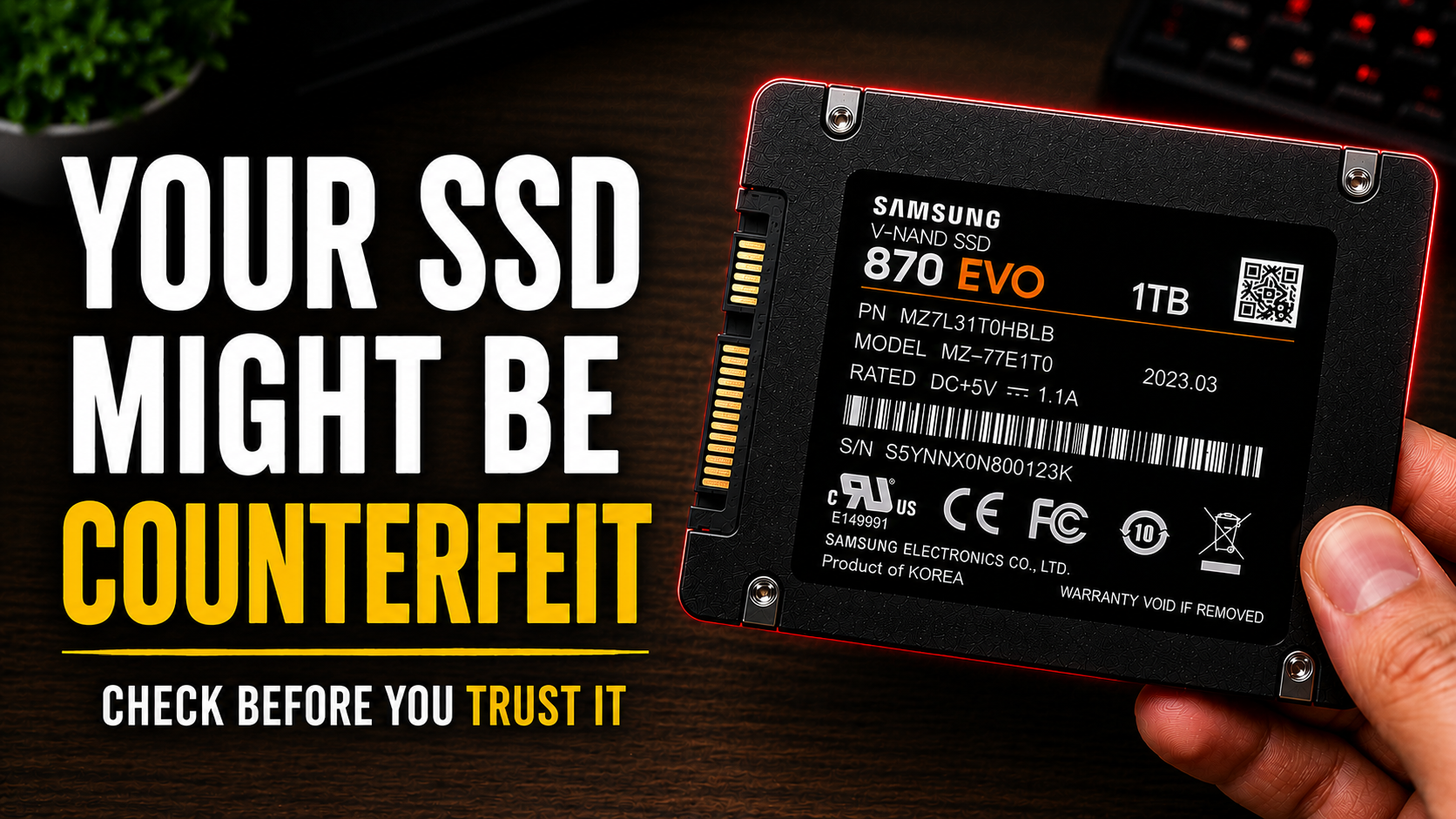
How to Identify a Fake SSD: 7 Fake SSD Detection Tips to Avoid Data Loss

Buying an SSD today seems simple. Open Amazon or Flipkart, type “1TB SSD” in the search bar, and you’ll instantly find countless options at different price ranges. Some look like amazing deals because of their attractive pricing, premium-looking packaging, and promises of lightning-fast speeds. But not every SSD sold online is genuine. Many buyers unknowingly end up purchasing fake or manipulated SSDs and only realize the problem after facing slow performance, corrupted files, or missing data. In this article, we’ll look at practical fake SSD detection tips and how to identify suspicious drives before they create serious problems.
Table of Contents
Thousands of users unknowingly purchase counterfeit or manipulated SSDs every year. Some drives show fake storage capacity, while others use low-quality recycled memory chips that fail within weeks. In many cases, the SSD appears normal during the first few days. The real problems begin once important files start disappearing, transfer speeds suddenly drop, or the drive becomes corrupted without warning.
The worst part is that most people never realize the SSD itself is fake. They blame Windows, their laptop, or even viruses while the real issue remains hidden inside the storage device.
This fake SSD detection guide will help you identify warning signs before purchasing unreliable storage devices online.
Why Fake SSDs Are Becoming So Common
The popularity of SSDs has exploded in recent years. More people are upgrading old laptops, building gaming PCs, or buying external SSDs for backups and content creation. As demand increases, counterfeit sellers also see an opportunity.
Fake SSDs are profitable because they are relatively easy to manufacture. Some scammers take low-capacity memory chips, modify the firmware, and trick the computer into displaying fake storage sizes like 1TB or 2TB. Internally, the actual storage may only be 64GB or 128GB.
At first glance, everything looks normal. Windows detects the drive correctly, files copy successfully, and benchmark numbers may even appear acceptable. But once the real storage limit is exceeded, the SSD begins silently overwriting old data. This is where users start losing photos, videos, projects, or work documents. Many fake SSDs are also sold using copied branding. Some imitate trusted companies while others create completely unknown brands with professional-looking packaging and fake reviews.
Because most buyers only compare price and storage capacity, counterfeit drives continue spreading across online marketplaces.
The Biggest Warning Signs of a Fake SSD
One of the easiest ways to identify a fake SSD is by observing unusual behavior during daily usage. Most counterfeit drives reveal themselves through small issues before complete failure happens. A major warning sign is extremely low pricing. If a 1TB SSD costs significantly less than every major brand in the market, there is usually a reason. Storage components are expensive, and genuine manufacturers cannot sell high-capacity drives at unrealistic prices without compromising quality.
Another common sign is unstable file transfer performance. Genuine SSDs maintain relatively consistent speed during large file transfers. Fake SSDs often start fast but slow down dramatically after a few gigabytes. Some even freeze temporarily during transfers.
Unexpected file corruption is another serious indicator. If videos stop opening, folders suddenly disappear, or files become unreadable after copying, the SSD may not be storing data correctly. Many users also notice overheating. Cheap counterfeit drives often lack proper controllers or thermal management. As a result, they become unusually hot even during light usage.
Frequent disconnections are another common symptom. The drive may randomly disappear from File Explorer, especially during large transfers or gaming sessions.
Some fake SSDs also show impossible specifications. For example, an unknown brand may claim extremely high read and write speeds that even premium SSDs struggle to achieve. In reality, these numbers are often fabricated.
How Fake SSD Capacity Scams Actually Work
Most people assume that if Windows displays 1TB storage, the SSD must physically contain 1TB of memory. Unfortunately, this is not always true. Counterfeit sellers modify the SSD firmware so the computer falsely detects higher storage capacity. Internally, the drive may contain much smaller memory chips.
For example, a fake SSD sold as 1TB might physically contain only 128GB. Initially, users can store files without noticing any problem. Once storage exceeds 128GB, the SSD starts overwriting older data while pretending everything is functioning normally.
This is why many users report that older photos, videos, or games suddenly become corrupted weeks later.
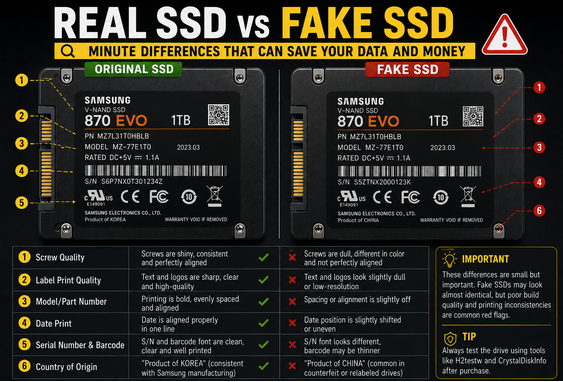
The scam works because the operating system trusts the firmware information reported by the SSD controller. Unless users perform proper testing, the fake capacity remains hidden.
Fake SSD Detection Methods You Should Try
Fortunately, several tools can help verify whether an SSD is genuine. One of the biggest advantages of proper fake SSD detection is preventing silent data corruption before it becomes permanent.
One of the best tools for fake SSD detection is H2testw. This software checks whether the drive actually contains the advertised storage capacity. It works by filling the drive completely with test data and then verifying whether the files remain intact.
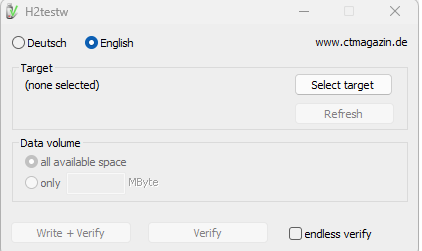
If the SSD has fake capacity, the software quickly detects overwritten or corrupted data.
Another useful tool is CrystalDiskInfo. This program displays detailed health information, drive specifications, temperature readings, and firmware details. Suspicious model numbers or missing manufacturer information can indicate counterfeit hardware.
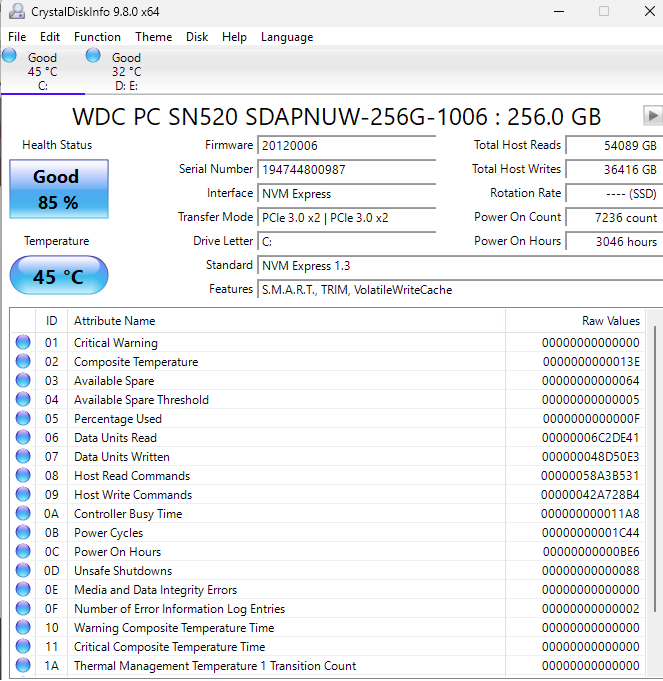
CrystalDiskMark is also helpful for testing real-world performance. If an SSD claims 3500 MB/s speeds but barely reaches a few hundred MB/s, something is clearly wrong.
Users should also compare serial numbers directly on the official manufacturer website whenever possible. Genuine brands usually provide warranty verification tools.
One overlooked method is simply checking storage consistency during long file transfers. A healthy SSD should maintain stable performance. Extreme fluctuations, sudden freezes, or random disconnections are red flags.
Why Fake SSDs Are Dangerous Beyond Data Loss
Many people assume counterfeit SSDs are only a money-related scam, but the risks go far beyond financial loss. This is why understanding fake SSD detection is becoming increasingly important for everyday users.
One of the biggest reasons fake SSD detection matters is data corruption. Fake SSDs can suddenly delete personal photos, office files, college assignments, videos, and backups without warning. In many cases, users only realize the problem after important files become permanently inaccessible.
Another major reason why fake SSD detection is essential is poor system performance. Counterfeit SSDs often use low-quality controllers and recycled memory chips that cause random lag, freezing, slow boot times, and unstable performance. Many users spend hours troubleshooting Windows without realizing the SSD itself is faulty.
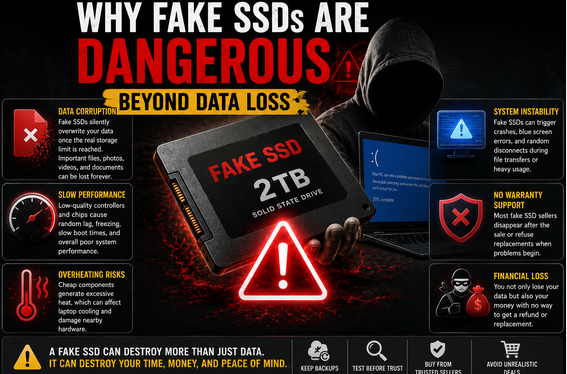
Overheating is another hidden danger linked to counterfeit storage devices. Cheap components inside fake SSDs can generate excessive heat, especially in laptops with poor airflow. Long-term overheating may reduce laptop stability and damage nearby hardware components. Proper fake SSD detection can help buyers avoid these risks before permanent hardware damage occurs.
System crashes are also common with fake SSDs. Some drives trigger blue screen errors, random restarts, or sudden disconnections during file transfers. These problems are often mistaken for software issues even though the real cause is the counterfeit SSD.
Another reason fake SSD detection is important is the lack of warranty support. Many fake SSD sellers disappear after the purchase or refuse replacements when problems begin. Buyers are left with damaged data and unusable storage devices.
The Most Common Places People Buy Fake SSDs
Fake SSDs are commonly sold through online marketplaces where third-party sellers operate freely. Even though platforms like Amazon and Flipkart remove suspicious listings regularly, counterfeit products still appear frequently. This makes fake SSD detection extremely important for online buyers.
Users become especially vulnerable during major sale events because extremely low pricing creates urgency and reduces caution. Many counterfeit sellers exploit this behavior by advertising unrealistic SSD deals.
Local computer stores can also sell fake SSDs, particularly when buyers are unfamiliar with trusted storage brands. In some cases, shop owners themselves may not realize the SSDs are counterfeit.
Social media advertisements are another growing source of counterfeit storage devices. Many fake SSD sellers use flashy ads, fake reviews, and unrealistic speed claims to attract customers. Learning basic fake SSD detection techniques can help users avoid these traps.
Unknown websites promoting “gaming SSDs” at suspiciously cheap prices should also be avoided. Genuine SSD hardware has manufacturing costs that cannot realistically support massive discounts.
The safest option is purchasing from authorized sellers or official brand stores. Proper fake SSD detection begins before the purchase itself.
Trusted SSD Brands That Are Usually Safer
Although no manufacturer is completely immune to counterfeiting, some brands have better quality control and stronger warranty systems. Samsung, Western Digital, Crucial, Kingston, and Seagate are generally considered safer when purchased from verified sellers.
Still, fake SSD detection remains important because counterfeit sellers often copy popular brand packaging and labels. Buyers should always verify serial numbers and inspect packaging carefully.
Checking reviews is equally important during fake SSD detection. Genuine reviews usually mention long-term usage experience, reliability, and real-world performance. Fake reviews often contain repetitive wording, vague praise, or unrelated images.
Understanding these small details can significantly improve fake SSD detection and reduce the chances of buying counterfeit storage devices.
How to Protect Yourself Before Buying an SSD
The best way to avoid counterfeit drives is careful research before purchasing. Fake SSD detection should always begin with price comparison. If one seller offers a 1TB SSD far below the average market price, caution is necessary.
Buyers should also confirm whether the seller is officially authorized by the manufacturer. Many trusted brands provide lists of approved retailers on their websites. This simple fake SSD detection step can prevent major problems later.
Avoid unknown brands promising unrealistic storage capacities or extremely high speeds at suspicious prices. Genuine SSD technology has real manufacturing costs that cannot be bypassed easily.
Reading detailed one-star reviews is another effective fake SSD detection strategy. Negative reviews often expose hidden issues such as fake storage capacity, overheating, corrupted files, or unstable performance.
Users should also test SSDs immediately after purchase using proper software tools. Early testing improves the chances of refunds or replacements if problems appear. Fake SSD detection tools like H2testw and CrystalDiskInfo can help verify storage authenticity quickly.
Maintaining regular backups is equally important. Even genuine SSDs can fail unexpectedly, which is why important files should never exist in only one location.
Why Many Buyers Ignore Early Signs
One reason counterfeit SSD scams continue growing is that the early warning signs are often subtle. This makes fake SSD detection more difficult for inexperienced users.
Many buyers notice slightly slower speeds, occasional lag, or random disconnections but assume the behavior is normal. Since the SSD initially appears functional, suspicion rarely develops immediately.
Another reason fake SSD detection is often ignored is blind trust in modern storage technology. SSDs are widely marketed as fast and reliable, causing users to overlook unusual behavior until major corruption occurs.
Unlike traditional hard drives, SSD failures can happen silently. Users may continue storing valuable data until the counterfeit drive eventually overwrites or corrupts files permanently.
Understanding these warning signs early can make fake SSD detection much easier and prevent serious financial or emotional damage.
The Future of Fake SSD Scams
Counterfeit electronics are becoming increasingly advanced. Modern fake SSDs now include realistic packaging, cloned branding, manipulated firmware, and fake benchmark results designed to fool average consumers. This makes fake SSD detection more important than ever.
As storage demand continues growing for gaming, content creation, video editing, and AI workloads, counterfeit sellers will likely keep targeting inexperienced buyers searching for cheap deals.
At the same time, consumer awareness is slowly improving. More users are learning fake SSD detection methods and testing storage devices properly before trusting them with important data.
Because counterfeit storage scams continue evolving, educational content focused on fake SSD detection will remain valuable for years to come.
Also Read
- Super Tips To Improve your PC Performance
- Laptop Not Charging But Plugged In (Real Causes and Fixes That Actually Work)
Final Thoughts
Fake SSD scams are no longer rare internet stories. They are a growing problem affecting everyday users who simply want affordable storage for laptops, gaming systems, or backups. Learning basic fake SSD detection techniques can save both your money and your valuable data.
The danger is not just losing money. A counterfeit SSD can silently destroy valuable data, reduce system stability, and create frustrating technical issues that are difficult to diagnose.
The good news is that most fake SSDs reveal warning signs early if users know what to watch for. Unrealistically cheap pricing, inconsistent speeds, overheating, corrupted files, and suspicious capacity claims should never be ignored.
Testing new SSDs immediately with proper tools can save months of frustration later. Buying from trusted sellers, verifying serial numbers, and avoiding unbelievable discounts also reduces risk significantly.
In the end, reliable storage is worth more than temporary savings. Losing years of important files because of a fake SSD is far more expensive than buying a genuine drive from the beginning.