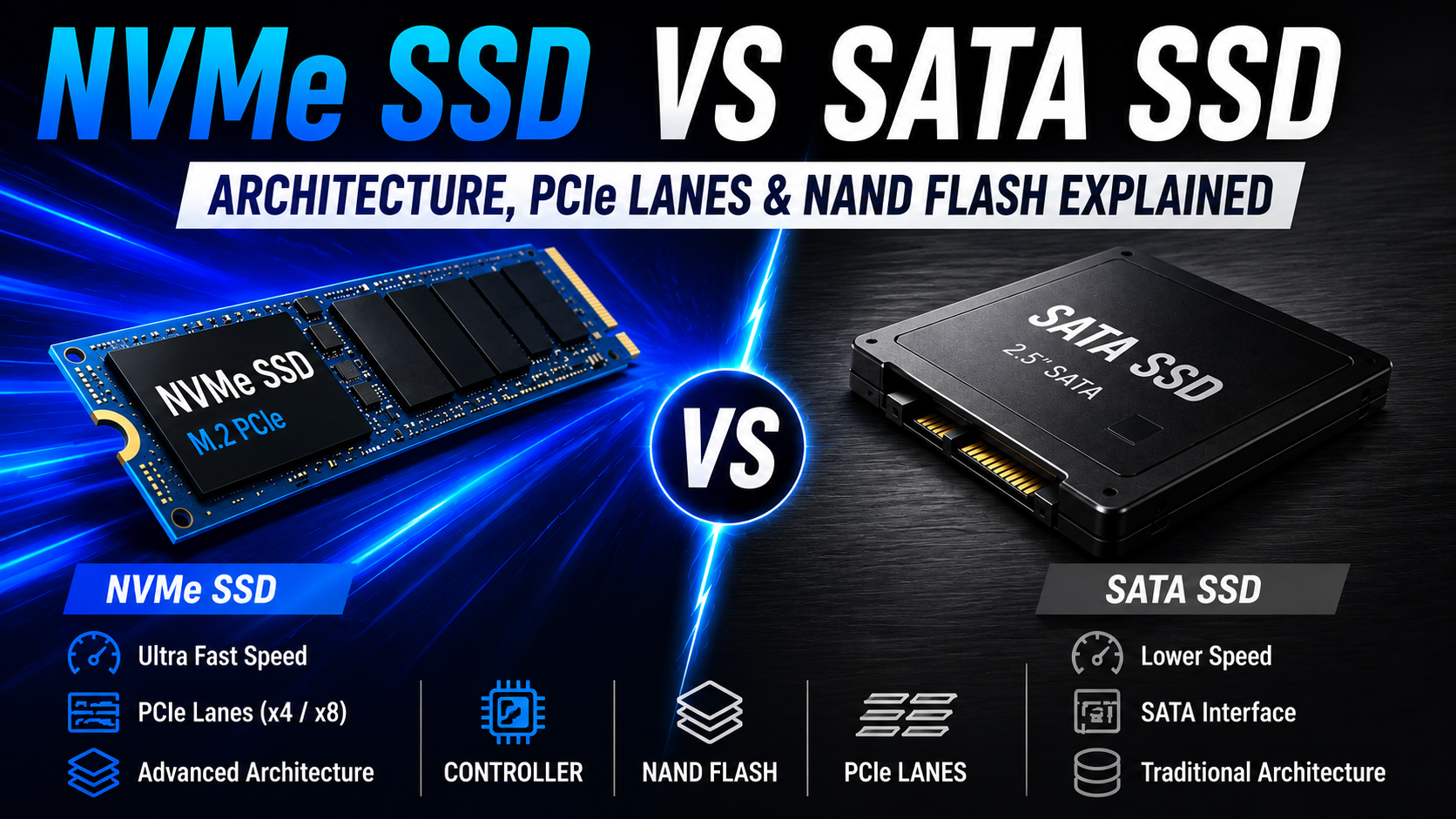
NVMe vs SATA SSD: 7 Things That Actually Make NVMe Faster

Table of Contents
NVMe vs SATA SSD: Architecture Explained for Beginners
Buying an SSD today can feel surprisingly confusing. Every brand claims to offer blazing-fast speeds, next-generation technology, and better performance than the competition. But once you start comparing products, two names appear everywhere: SATA SSD and NVMe SSD. Most beginners only notice the speed numbers written on the box. However, the real difference starts much deeper inside the storage architecture itself.
That internal design changes how quickly data travels, how efficiently the SSD communicates with the CPU, and how responsive your system feels during real-world tasks. The good news is that you do not need an engineering background to understand it.
In this guide, we’ll break down NVMe vs SATA SSD architecture in simple language so you can finally understand what happens inside modern SSDs and which one actually makes sense for your workload.
If you recently searched for a new SSD, you probably noticed two common terms everywhere:
- SATA SSD
- NVMe SSD
At first glance, both may look similar because they store data using flash memory instead of spinning disks like traditional hard drives. However, internally, their architecture is completely different.
That difference affects:
- Speed
- Latency
- Gaming load times
- File transfer performance
- Multitasking
- System responsiveness
In this beginner-friendly guide, we’ll understand how NVMe vs SATA SSD architecture works internally without using overly complicated technical jargon.
What Is an SSD?
Before comparing NVMe and SATA, it helps to understand how SSDs work at a basic level.
An SSD is essentially a high-speed storage device that stores data electronically instead of mechanically. Traditional hard drives use spinning magnetic platters and moving read/write heads, which naturally creates delays. SSDs remove those moving parts entirely. That single architectural change is the reason modern computers boot faster, applications open instantly, and games load much quicker than older systems.
Even budget SSDs feel dramatically faster than hard drives in daily use. An SSD, or Solid State Drive, is a storage device that uses NAND flash memory to store data permanently.
Unlike traditional hard drives, SSDs do not contain moving mechanical parts. This makes them:
- Faster
- More durable
- More power efficient
- Better for multitasking
Every SSD mainly contains:
- NAND flash memory
- SSD controller
- Cache memory
- Communication interface
The communication interface is where the biggest difference between NVMe vs SATA SSD begins.
READ MORE >>> How to Identify a Fake SSD: 7 Fake SSD Detection Tips to Avoid Data Loss
Understanding SATA SSD Architecture
SATA SSDs arrived during the transition period between hard drives and flash storage. At that time, manufacturers needed a way to make SSDs compatible with existing computers without redesigning entire motherboards. Because of this, SATA SSDs inherited technology that was originally designed for mechanical hard drives.
That decision helped SSD adoption grow quickly, but it also introduced long-term limitations that became more obvious as flash memory improved. SATA SSDs were introduced when the computer industry was still transitioning from hard drives to flash storage.
Because of that, SATA architecture was originally designed around the limitations of mechanical hard drives.
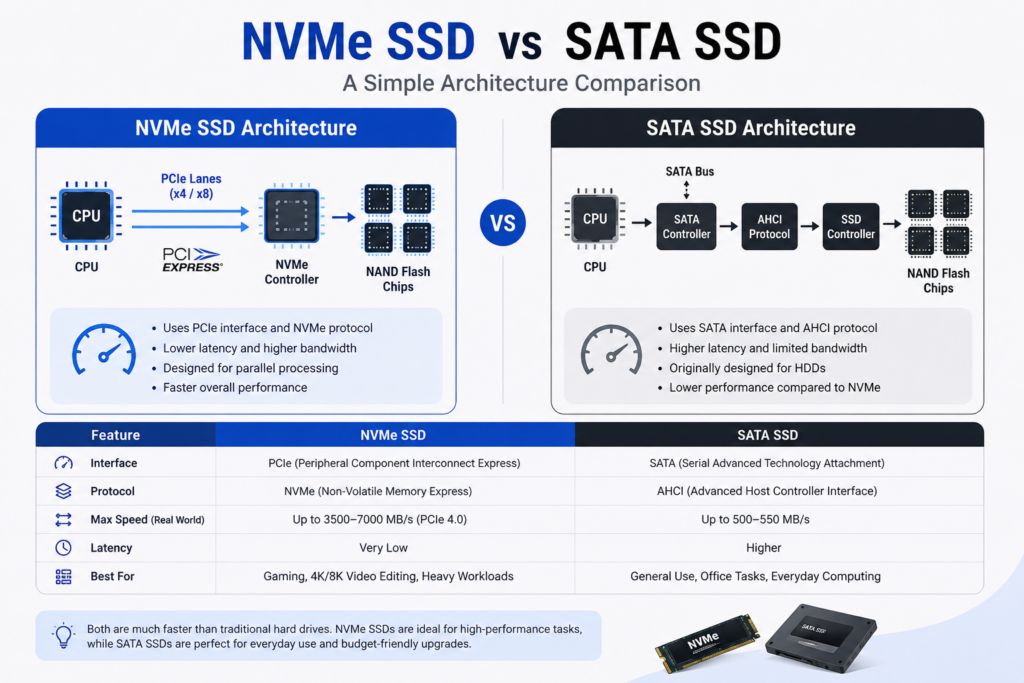
A SATA SSD communicates using:
- SATA interface
- AHCI protocol
- SATA controller
Internally, the architecture looks something like this:
This design worked very well for hard drives, but modern SSDs quickly became too fast for the SATA interface.
What Is AHCI?
AHCI stands for Advanced Host Controller Interface.
It is an older communication protocol designed mainly for hard drives.
Since hard drives are much slower than flash memory, AHCI was never optimized for extremely high-speed parallel data operations.
That creates several limitations:
- Higher latency
- Limited command queues
- Slower multitasking performance
- Reduced parallel processing
This is one major reason why NVMe vs SATA SSD performance differs so much, as SATA architecture eventually reached its bandwidth and communication limits.
SATA SSD Speed Limitation
Most SATA SSDs offer real-world speeds between 450 MB/s and 550 MB/s.
Even if manufacturers improve NAND flash memory or controllers, SATA itself becomes the bottleneck.
The maximum theoretical bandwidth of SATA III is around:
600 MB/s
For normal users, SATA SSDs still feel extremely fast compared to hard drives.
However, heavy workloads like:
- 4K video editing
- Massive game installations
- Large file transfers
- Virtual machines
can easily expose SATA limitations.
What Is NVMe SSD?
As SSD technology evolved, manufacturers realized older SATA architecture could no longer keep up with the speed of modern flash memory.
That is where NVMe changed everything. Instead of adapting old hard-drive communication methods, NVMe was designed specifically for solid-state storage from the ground up.
The result was lower latency, better efficiency, and dramatically higher bandwidth.
NVMe stands for:
Non-Volatile Memory Express
Unlike SATA SSDs, NVMe SSDs were designed specifically for flash storage. Instead of using SATA cables and AHCI, NVMe drives communicate directly through PCIe lanes.
That dramatically improves:
- Bandwidth
- Latency
- Queue handling
- Parallel operations
This is why NVMe SSDs are significantly faster.
Understanding PCIe Lanes
PCIe stands for Peripheral Component Interconnect Express. PCIe lanes act like dedicated highways that allow high-speed communication between components and the CPU.
Each PCIe lane contains:
- One transmit channel
- One receive channel
The more lanes an SSD uses, the more data it can transfer simultaneously.
Most consumer NVMe SSDs use:
PCIe x4
That means four high-speed lanes are working together.
PCIe Generation Speeds
Different PCIe generations offer different speeds.
| PCIe Generation | Approximate Speed Per Lane |
|---|---|
| PCIe 3.0 | ~1 GB/s |
| PCIe 4.0 | ~2 GB/s |
| PCIe 5.0 | ~4 GB/s |
A PCIe 4.0 x4 NVMe SSD can theoretically achieve around:
8 GB/s bandwidth
That is dramatically higher than SATA SSD limitations.
NVMe SSD Architecture Explained
The internal communication structure of an NVMe SSD is much simpler and faster. Notice something important here. NVMe SSDs bypass many older storage bottlenecks completely. This direct communication path reduces delays and improves efficiency.
![nvme ssd architecture : NVMe SSD architecture infographic with PCIe lanes connected directly to CPU]](https://cyberblogforu.com/wp-content/uploads/2026/05/image-11-1024x683.png)
Why NVMe SSDs Are Faster ?
The biggest reason behind NVMe performance is architectural efficiency. Instead of relying on old hard-drive-era communication methods, NVMe was built specifically for flash memory.
This provides several major advantages.
Lower Latency
NVMe communicates directly through PCIe lanes, reducing the delay between the CPU and storage. Applications load faster and system responsiveness improves noticeably.
Better Parallel Processing
One of the biggest advantages in NVMe vs SATA SSD performance comes from how both technologies handle data queues internally. SATA SSDs still rely on the older AHCI protocol, which supports only a single command queue with up to 32 commands at a time.
NVMe SSDs were designed for modern flash storage and can support up to 64K queues with 64K commands per queue. This massive increase allows NVMe drives to process large amounts of data simultaneously without becoming a bottleneck.
Because of this parallel processing capability, NVMe SSDs perform much better during heavy workloads and demanding applications.
Improved Multitasking
Modern NVMe architecture is especially useful for users who regularly run multiple high-performance tasks at the same time. Faster queue handling and lower latency help the system remain responsive even under heavy load.
This is why NVMe SSDs are commonly preferred for gaming, video editing, engineering software, content creation, virtual machines, and heavy multitasking workloads.
NAND Flash Memory Explained for both NVMe vs SATA SSDs
Both SATA and NVMe SSDs use NAND flash memory internally. NAND flash stores data electronically using floating-gate transistors. Instead of mechanical movement, SSDs store electrical charges inside memory cells. The amount of charge determines binary data.
Different Types of NAND Flash
Not all SSDs use the same type of NAND memory.
The NAND type affects:
- Speed
- Lifespan
- Cost
- Endurance
SLC NAND
SLC stores one bit per cell.
It is:
- Extremely fast
- Highly durable
- Very expensive
Mostly used in enterprise storage.
TLC NAND
TLC stores three bits per cell.
This is currently the most common consumer SSD technology because it balances:
- Price
- Speed
- Lifespan
QLC NAND
QLC stores four bits per cell.
It offers:
- Higher capacity
- Lower price
But it also has:
- Lower endurance
- Reduced sustained write performance
![NAND flash comparison chart showing SLC, TLC, and QLC memory cells]](https://cyberblogforu.com/wp-content/uploads/2026/05/image-13-1024x683.png)
What Does an SSD Controller Do?
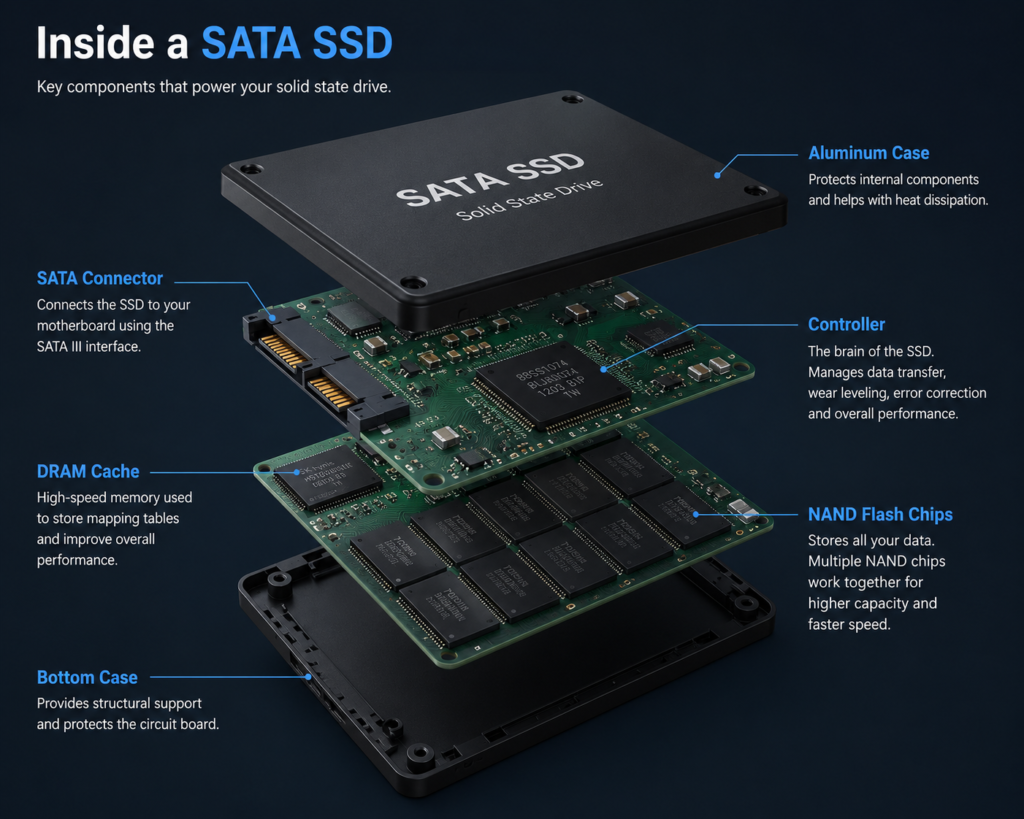
In NVMe vs SATA SSD architecture, the SSD controller acts as the brain of the drive. Without the controller, NAND flash memory cannot manage data efficiently, handle error correction, or maintain overall SSD performance.
The controller manages:
- Data reading and writing
- Error correction
- Wear leveling
- Garbage collection
- Cache handling
- Thermal management
A high-quality controller can dramatically improve SSD performance.
Popular SSD controller manufacturers include companies like Phison, Silicon Motion, and Samsung.
Understanding DRAM Cache in NVMe vs SATA SSDs
Some SSDs include dedicated DRAM memory.
This DRAM stores mapping tables and temporary data to improve responsiveness.
Benefits of DRAM cache include:
- Faster file access
- Better sustained speeds
- Improved multitasking
- Reduced latency
Budget SSDs sometimes skip DRAM to reduce cost.
These are called:
DRAM-less SSDs
Modern DRAM-less NVMe SSDs often use Host Memory Buffer (HMB) technology to temporarily use system RAM.
What Is Wear Leveling?
Flash memory cells wear out after repeated write cycles.
To increase lifespan, SSD controllers use a technique called:
Wear Leveling
This spreads writes evenly across all NAND cells.
Without wear leveling, some cells would fail much earlier than others.
Garbage Collection in SSDs
When you delete files from an SSD, the data is not immediately erased. Instead, invalid data blocks must be cleaned and reorganized. This process is called garbage collection. Good garbage collection improves:
- Write performance
- SSD lifespan
- Long-term speed consistency
What Is the TRIM Command?
TRIM is an important optimization feature used by modern operating systems. It tells the SSD which data blocks are no longer needed. This allows the SSD to prepare empty blocks in advance.
Benefits of TRIM include:
- Better long-term performance
- Lower write amplification
- Improved SSD health
NVMe vs SATA SSD in Real-World Usage
Many beginners think NVMe SSDs always feel dramatically faster.
In reality, the experience depends heavily on your workload.
For everyday tasks like:
- Web browsing
- Watching videos
- Office work
- Light programming
Even a SATA SSD already feels very responsive.
However, NVMe SSDs show major advantages during:
- Large file transfers
- Professional editing workloads
- Heavy multitasking
- Game asset streaming
- High-speed rendering
READ MORE >>> Super Tips To Improve your PC Performance
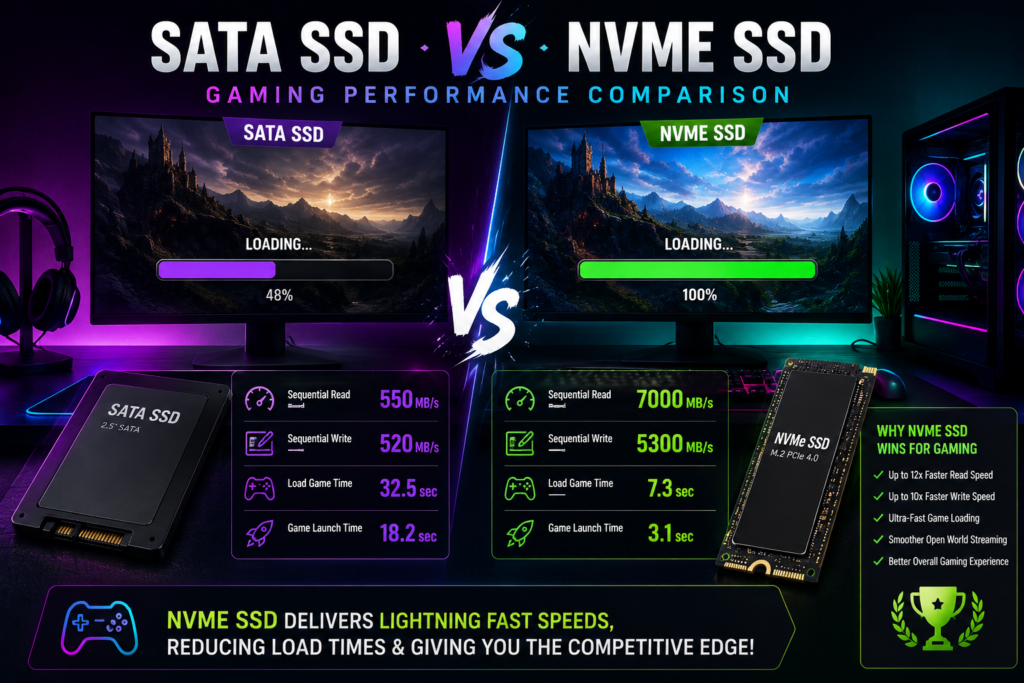
Gaming Performance: NVMe vs SATA SSD
Gaming is one of the most common reasons people upgrade storage.
NVMe SSDs mainly improve:
- Game loading times
- Texture streaming
- Open-world asset loading
However, they usually do not provide massive FPS improvements.
That’s because frame rates depend more on:
- CPU
- GPU
- RAM
rather than storage speed alone.
Thermal Throttling in NVMe SSDs
One downside of high-speed NVMe SSDs is heat generation.
When SSD temperatures become too high, the controller intentionally reduces speed to protect NAND memory.
This is known as:
Thermal Throttling
To manage heat, many modern NVMe SSDs include:
- Heatsinks
- Thermal pads
- Graphene heat spreaders
PCIe 4.0 and PCIe 5.0 SSDs especially benefit from proper cooling.
PCIe 4.0 vs PCIe 5.0 SSDs
PCIe 5.0 SSDs are incredibly fast on paper.
However, many real-world applications still cannot fully utilize those speeds.
For most users today:
- PCIe 3.0 is still good
- PCIe 4.0 offers excellent balance
- PCIe 5.0 is mainly for enthusiasts and future-proofing
Storage technology is evolving rapidly, but software optimization still matters.
Common Myths About SSDs
Myth 1: SSDs Never Fail
SSDs absolutely can fail.
Failures may happen because of:
- NAND degradation
- Firmware corruption
- Controller damage
- Power surges
Always keep backups of important data.
Myth 2: NVMe SSDs Increase FPS Dramatically
In most games, FPS improvements are small.
The main benefit is faster loading and smoother asset streaming.
Myth 3: Bigger SSD Means Faster SSD
Performance depends more on:
- NAND quality
- Controller design
- DRAM cache
- PCIe generation
Capacity alone does not guarantee speed.
Should You Buy SATA or NVMe SSD?
The answer depends on your usage and budget.
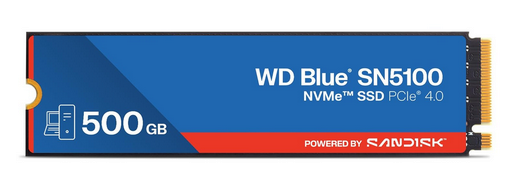
✅ PCIe NVMe
✅ Great for Gaming
Check Latest Price
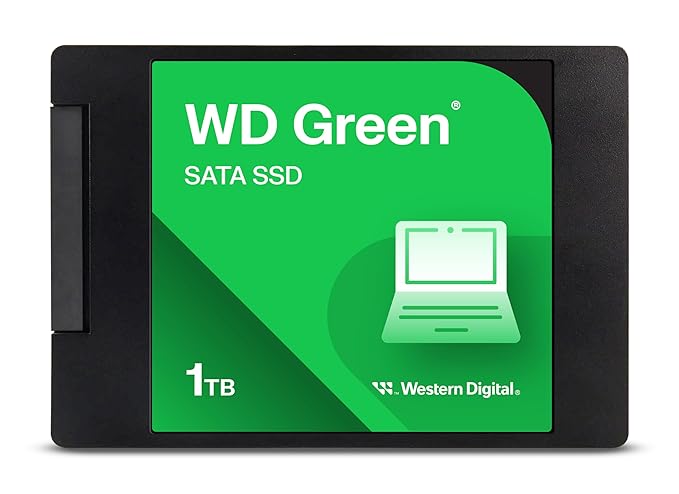
✅ Reliable Performance
✅ Ideal for Everyday Use
Check Latest Price
SATA SSD Is Better If:
- You want affordable storage
- Your motherboard lacks NVMe support
- Your workload is basic everyday usage
- You mainly want faster boot times over HDDs
NVMe SSD Is Better If:
- You edit videos
- You transfer huge files regularly
- You play modern AAA games
- You multitask heavily
- You use engineering or creative software
Beginner SSD Buying Tips
Before buying an SSD, always check compatibility.
1. Motherboard Support
Your motherboard must support the PCIe generation you want to use.
2. DRAM Cache
For heavy workloads, DRAM-based SSDs usually perform better.
3. NAND Type
TLC NAND is generally the best balance for most users.
4. TBW Rating
TBW means:
Terabytes Written
Higher TBW ratings indicate better endurance.
Future of SSD Architecture
SSD technology continues evolving rapidly.
Future improvements may include:
- PCIe 6.0 storage
- Faster NAND stacking
- AI-assisted caching
- Lower latency controllers
- Better thermal efficiency
Enterprise storage systems are already exploring advanced technologies like computational storage and zoned namespaces.
FAQ Section
Is NVMe better than SATA SSD?
Yes, NVMe SSDs are significantly faster because they use PCIe lanes and the NVMe protocol instead of older SATA and AHCI architecture.
Can I use NVMe SSD in any laptop?
No. Your motherboard or laptop must support NVMe and PCIe-based M.2 storage.
Does NVMe improve gaming FPS?
Usually not significantly. NVMe mainly improves loading times and texture streaming.
Is SATA SSD still worth buying?
Yes. SATA SSDs are still excellent for budget systems and general everyday usage.
Which NAND type is best?
TLC NAND is considered the best balance between performance, endurance, and price for most users.
Final Thoughts
Understanding NVMe vs SATA SSD architecture helps you make smarter storage decisions instead of relying only on marketing claims. Both are major upgrades over traditional hard drives, but the biggest difference lies in how they communicate with the system.
SATA SSDs use older hard-drive-era architecture, while NVMe SSDs are built for modern high-speed flash storage and PCIe communication. This gives NVMe drives lower latency, faster data transfer, better multitasking, and improved overall responsiveness.
For everyday tasks, SATA SSDs still offer excellent value and performance. However, for gaming, video editing, large file transfers, and heavy workloads, NVMe SSDs provide a noticeably smoother experience and are becoming the standard choice for modern PCs