What Is OCR? How Your Phone Reads Text in 4 Easy Steps

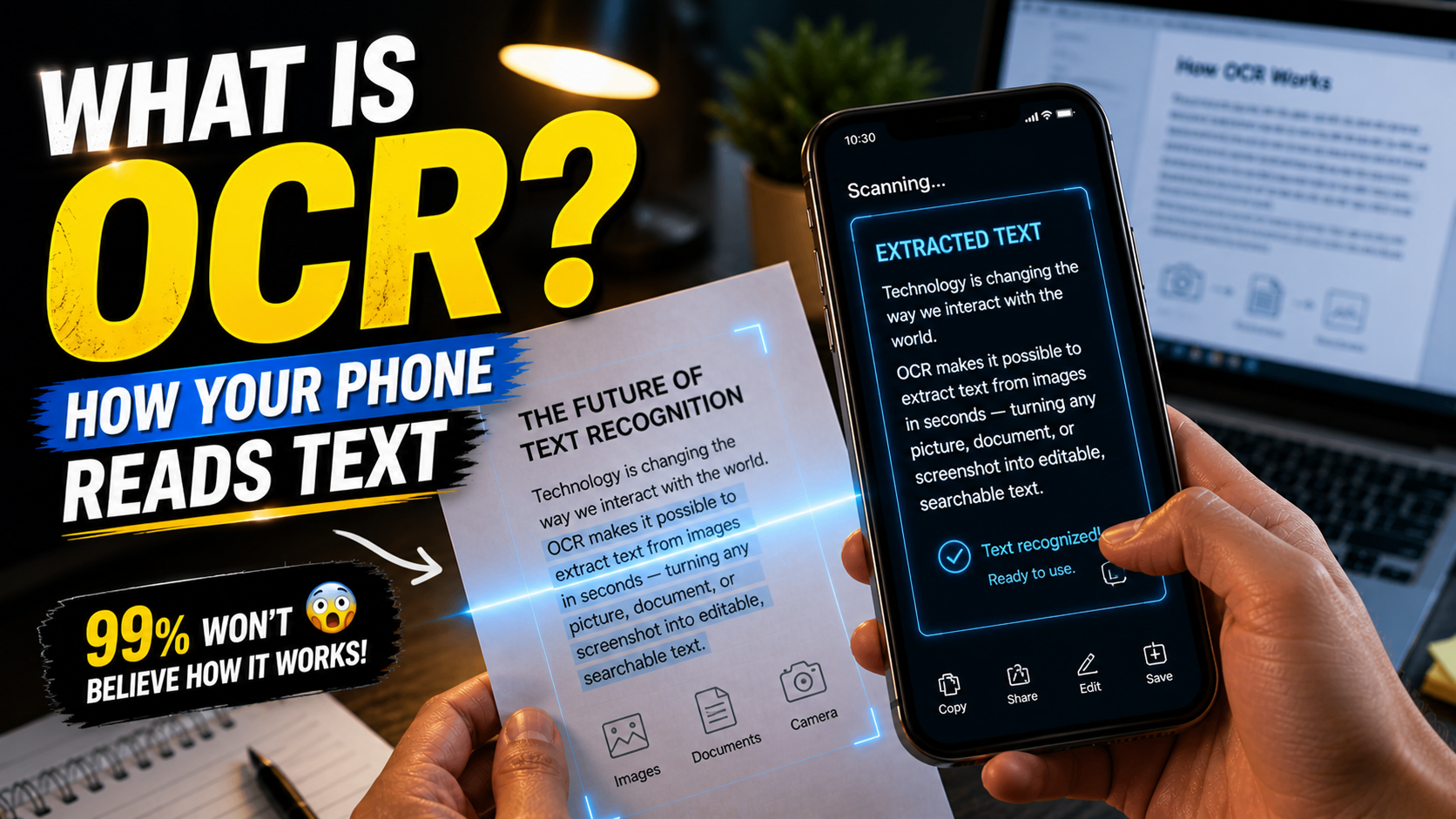
When you use your phone to scan a document or copy text from an image, it feels almost instant. You just point the camera, tap once, and suddenly the text becomes editable. For many people, this feels like a smart feature built into the phone, but there is actually a powerful technology working behind the scenes.
If you have ever wondered what is OCR, this is the exact technology responsible for it. OCR, or Optical Character Recognition, allows your device to recognize text inside images and convert it into editable content.
This technology is now deeply integrated into smartphones, office tools, and even banking systems. But OCR did not appear suddenly—it has been developed over time by multiple companies and organizations, and today it is licensed and used by many tech platforms.
In this article, you will not only understand how OCR works, but also learn which companies developed OCR and how this technology is used in real-world applications.
Table of Contents
What Is OCR?
OCR (Optical Character Recognition) is a technology that converts text from images, scanned documents, or photos into editable and searchable digital text.
In simple terms, OCR allows a machine to read text from an image and turn it into actual text that you can copy, edit, or store.
For example, when you take a picture of a printed page and your phone allows you to select the text, that is OCR in action.
How Your Phone Reads Text
When you open your camera or use apps like Google Lens, your phone does much more than just capture an image. It starts analyzing the image immediately.
First, it detects the regions that contain text. Then it separates each letter and compares it with known patterns stored in its system. After that, it converts those patterns into readable text.
This entire process happens in seconds, which is why it feels smooth and effortless.
How OCR Works (Simple Explanation)
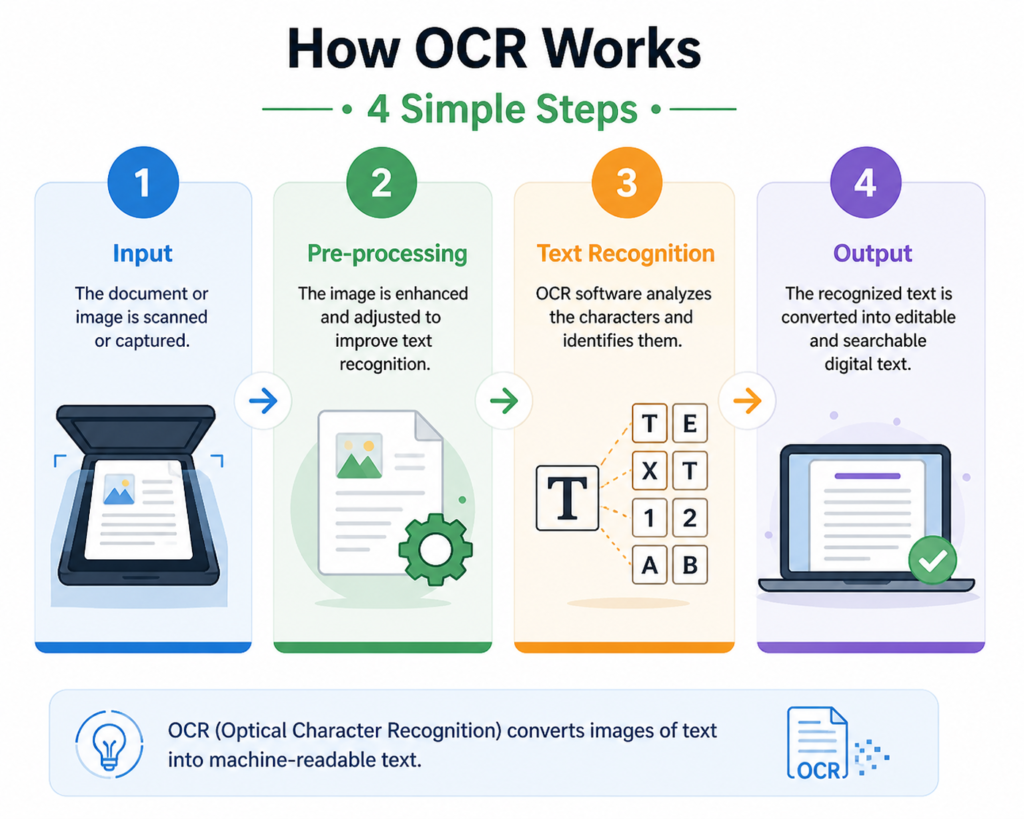
The process of OCR can be understood step by step.
When an image is captured, the system first improves the image quality by adjusting brightness and removing noise. This makes the text clearer.
Next, it detects where the text is located. The system separates text from the background.
Then, each character is analyzed individually. The system compares shapes with stored character patterns.
Finally, the recognized characters are combined to form words and sentences, which appear as editable text.
Office Example (Practical Use Case)
Imagine you receive a printed office document or a scanned PDF file that you need to edit.
Instead of typing everything manually, you can simply scan the document using your phone. OCR extracts the text instantly, allowing you to edit it directly.
This is widely used in offices for:
- Converting printed files into editable documents
- Extracting data from invoices
- Digitizing paperwork
OCR saves time and increases productivity in daily work.
Which Company Developed OCR Technology?
OCR is not developed by a single company. It has evolved over many years through contributions from different organizations.
The early development of OCR dates back to the early 20th century, but it became more practical in the 1970s and 1980s with the rise of computing.
Some of the key contributors to OCR technology include:
- Early research institutions working on pattern recognition
- Companies like Kurzweil Computer Products, which created one of the first OCR systems for reading text aloud
- Later advancements by major tech companies like Google, Microsoft, and Adobe
Today, OCR is a mature technology used globally across industries.
Which Companies Provide OCR Today?
Modern OCR is powered by several major technology companies that offer APIs and software solutions.
Google provides OCR through tools like Google Lens and Google Cloud Vision API. This is widely used in Android devices.
Microsoft
Microsoft offers OCR through Azure Cognitive Services, used in enterprise applications.
Adobe
Adobe uses OCR in its PDF tools, allowing scanned documents to become editable.
Tesseract OCR (Open Source)
Tesseract is one of the most popular open-source OCR engines, originally developed by HP and later supported by Google.
ABBYY
ABBYY is a well-known company specializing in OCR and document processing solutions used in industries.
Who Licenses OCR Technology?
OCR technology is often licensed through APIs or software tools.
Companies do not always build OCR from scratch. Instead, they:
- Use OCR APIs (like Google Vision API)
- Integrate OCR libraries (like Tesseract)
- License enterprise OCR tools (like ABBYY)
This is why OCR appears in many apps and platforms—it is often integrated rather than built from zero.
Where OCR Is Used in Daily Life
OCR is used in many everyday applications, even if you don’t notice it.
When you copy text from an image using your phone, OCR is working. When you scan documents, OCR converts them into editable files. Translation apps use OCR to detect text before translating it.
In offices, OCR helps digitize paperwork. In banking, it reads cheque details. In verification systems, it extracts data from ID cards.
Why OCR Is Important
OCR is important because it converts physical information into digital form.
Without OCR, you would need to manually type everything from documents. This would take time and increase errors.
With OCR, data becomes searchable, editable, and easy to manage.
Advantages of OCR
OCR saves time by eliminating manual typing. It improves productivity by converting large amounts of data quickly.
It also allows text inside images to become searchable, which is very useful for managing documents.
For students and professionals, OCR simplifies tasks like note-taking and document editing.
Limitations of OCR
Despite its advantages, OCR has some limitations.
It may struggle with handwritten text or low-quality images. Complex fonts and poor lighting can also reduce accuracy.
However, modern systems are improving continuously and becoming more reliable.
OCR vs Manual Typing
Manual typing is slow and requires effort, especially for long documents.
OCR automates this process, making it faster and more efficient. While typing offers full control, OCR provides convenience and speed.
Accuracy of OCR Technology
Modern OCR systems are highly accurate for printed text, often achieving over 90% accuracy.
However, accuracy depends on image quality. Clear images produce better results.
Also, Read
Future of OCR
OCR is evolving with advancements in technology. New systems are becoming better at understanding context and recognizing different types of text.
In the future, OCR will:
- Handle handwriting better
- Work faster in real time
- Be more accurate across all formats
Common Misunderstandings
Many people think OCR works like human reading, but it relies on pattern recognition.
Some believe it is always accurate, which is not true. It depends on image quality and clarity.
Understanding these points helps in using OCR effectively.
FAQs
What is OCR in simple words?
OCR is a technology that converts text from images into editable digital text.
Which company developed OCR?
OCR was developed over time by multiple organizations, with contributions from companies like Kurzweil, Google, Microsoft, and ABBYY.
Is OCR free to use?
Some tools are free, while advanced OCR services may require licensing.
Where is OCR used?
OCR is used in mobile apps, document scanning, banking, and office automation.
Conclusion
OCR is a powerful technology that allows your phone and computer to read text from images. It has evolved over time with contributions from multiple companies and is now widely used across industries.
Understanding what is OCR not only helps in exams but also improves how you use technology in daily life. From scanning documents to extracting data, OCR plays a key role in making information more accessible and efficient.